Job Quoting Software for Tradies: What to Use in 2026
The job quoting software Australian tradies use in 2026, and how to pick one. What a quote tool must do, the main options, and how to test them on a real quote.
TL;DR: Job quoting software lets a tradie build a quote on site, send it to the client, and turn an accepted quote into a scheduled job without retyping it. The quote is where most tradie jobs are won or lost, so the tool should make a quote fast to build, easy for the client to accept and simple to convert. The tools compared here build quotes inside a job management system, not a standalone quoting app. Choose the job tool that fits your crew, then test its quote on a real job before you commit.
A quote is the moment a client decides whether to hire you. If it takes a day to send, the client may have called someone else. If it looks unprofessional, or the price is unclear, the client hesitates. If it is accepted and then has to be retyped into an invoice or a job sheet, you lose time and make mistakes.
Good quoting software fixes those three problems. It makes the quote quick to build, clear for the client to read and accept, and easy to turn into the next step.
This guide covers what a quote tool needs to do, how the options compare, and how to test one before you pay. For the bigger job system a quote feeds into, see our guide to CRM for tradies. For the follow-up that wins quotes you have already sent, see tradie quote follow-up.
What a Tradie Quote Tool Must Do
Test every option against the same five points.
- Build speed: a quote from a saved price list, with materials and labour added, in minutes on a phone.
- Clear layout: the client can read scope, price and terms on any device without signing up.
- Easy acceptance: the client accepts or asks questions with one click or a reply.
- Conversion: an accepted quote becomes a job, a schedule item and an invoice without retyping.
- Follow-up visibility: you can see whether the client opened the quote, so you know when to call.
A tool that handles the first three well but cannot convert an accepted quote will cost you admin every week.
Where Quoting Usually Lives
Each tool below runs quoting inside a job management system: enquiry, quote, scheduling, job tracking and invoicing sit in one app. That is why the quote tool and the job tool are usually the same decision.
The main options tradies compare are:
- ServiceM8: quotes are built on the job card. Plans are fixed monthly prices by new jobs per month, with unlimited staff on paid plans. Some quote features, such as Proposals, start on the Growing plan.
- Tradify: quote and invoice templates with custom branding, CSV price list import and quote reminders, priced per user ex GST. Templates and branding sit on Pro and above.
- Fergus: quotes can use price books, with supplier pricing on the plans that include them.
Check each vendor's Australian pricing and feature pages before you decide. Plans and features change, and a quote-related feature may sit on a higher tier than the one you are considering.
Quoting Tools Compared
The table below sets the three options side by side on the points that matter for a quote. Vendor entries come from each vendor's Australian pricing page, checked on 27 October 2026. The best-fit row is our judgment.
| Point | ServiceM8 | Tradify | Fergus |
|---|---|---|---|
| Pricing model | Fixed monthly plans by new jobs per month, unlimited users on paid plans | Per user per month, ex GST | Per-user charges: contractor users $4 per user per day, timesheet users from $26 per month |
| Quote follow-up | Automated quote follow-up emails and texts | Quote and invoice reminders on Pro and Plus, SMS reminders as a $0.20 per message add-on, email tracking on Lite | Not confirmed on the pages checked |
| Quote templates | No quote template detail on the pricing page. Online quote acceptance on all plans | Quote and invoice templates with custom branding on Pro and Plus | Quoting & Estimating on Essentials and Pro. No template detail on the pricing page |
| Price lists | Supplier price list updates imported automatically from email | Own price lists and supplier pricing imported by CSV | Price Books on Essentials and Pro |
| Best fit | Sole traders and small crews on flat pricing | Small teams that want branded quotes and per-user plans | Trades that want supplier pricing inside the quote |
Two things need a check during your trial. Quote-open tracking is not confirmed for any of the three. Online acceptance is on every ServiceM8 plan and on Pro and above at Tradify, and it is not confirmed for Fergus, so check your plan includes it before you rely on it.
How to Set Up a Quoting Tool
Setting up takes longer than most tradies expect, and the price list is where most of the time goes. Work through these steps in order.
- Build your price list first. Write down your standard labour rates, your common jobs and the materials you price most often. Keep it to the 20 or so items you quote most, so the list is quick to use on site.
- Set your quote template. Add your business details, your standard payment terms and the validity period for a quote. Keep the layout the same for every client so a quote is easy to compare.
- Write your standard scope wording. For each common job, write two or three lines that say what is included and what is not. Save these as reusable text rather than typing them fresh each time.
- Set your tax and rounding rules. Check that GST is shown the way you want it on the client view, and that totals round the way your accountant expects.
- Send one test quote to yourself. Open it on the phone your clients use and check the layout, the total and the scope text.
- Accept the test quote and convert it. Check that the accepted quote becomes a job and an invoice with the same price and scope, with nothing retyped.
- Connect your accounting software. Confirm that invoices and payments reach your accounts, and send one test invoice to check the figures match.
- Run it on a live quote. Use the tool on one real job for a week before you move every quote across. Note each point where you stopped to look something up.
The first setup takes the most time. Once the price list and templates are saved, each new quote should take minutes.
Setup is also where a quoting tool earns or loses its place in your week. A tool that is quick to quote in but slow to convert will still leave you retyping. Before you decide, look at the whole chain from enquiry to invoice, not just the quote screen.
A quick way to compare the three options during your trials is to score each one out of five on the same points: time to build a quote, client view on a phone, follow-up options, conversion to a job, and accounting sync. Write the scores down on the same day for each tool. Scores taken a week apart tend to drift toward whichever tool you used last.
How to Pick a Quoting Tool
Use this order.
- Count the quotes you send in a month. High-volume quoting rewards a tool that builds a quote in minutes from a saved price list.
- Check whether your price list is in the tool. Rebuilding your materials and labour rates inside the app is the hidden cost of any new system.
- Check the client view on a phone. Send yourself a test quote and open it on the device your clients use.
- Check the conversion step. Accept the test quote and see whether it becomes a job and an invoice with no retyping.
- Check accounting sync. An invoice that does not reach your books still needs keying twice.
If the tool fails step 2 or step 4, it will cost more time than it saves.
How to Test a Quote Tool on a Real Quote
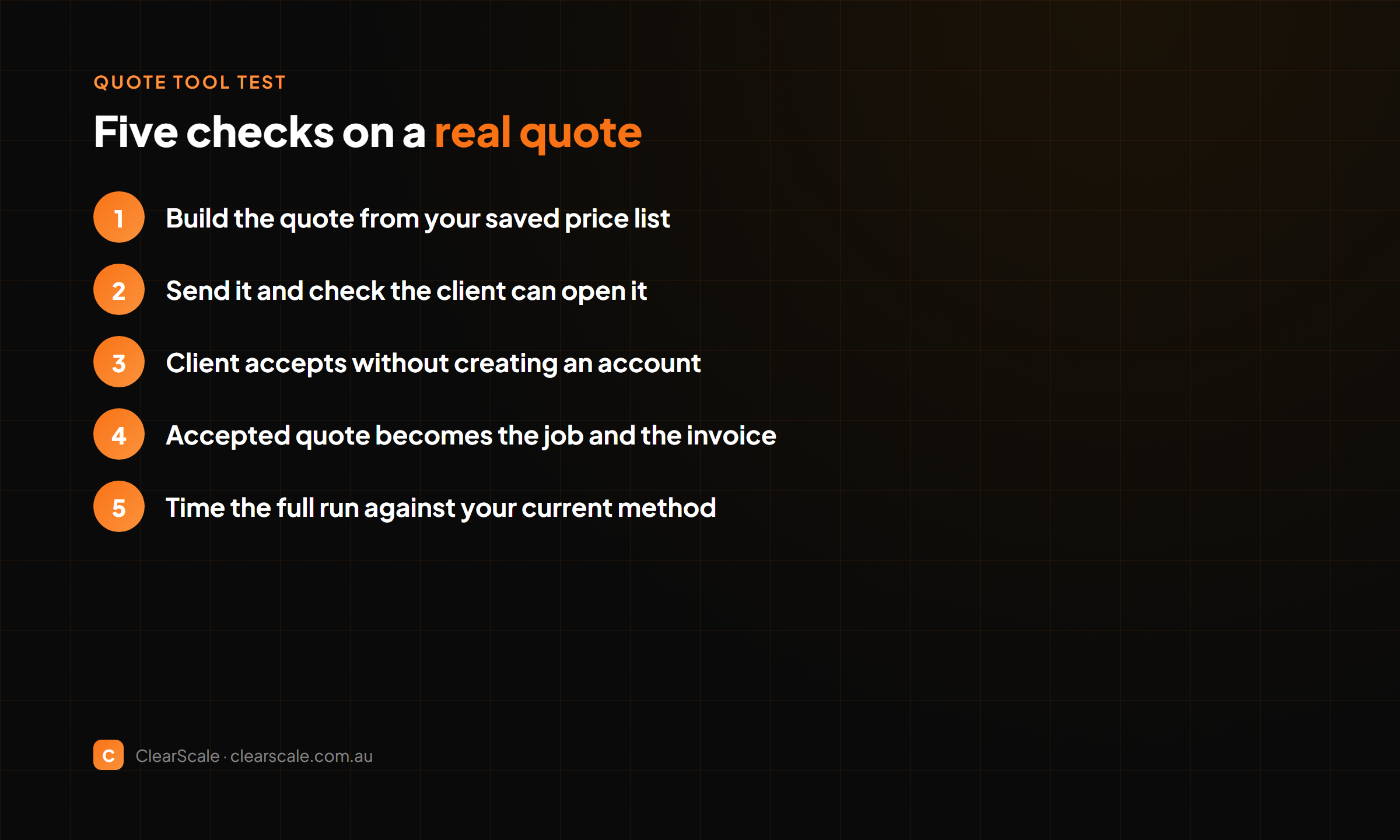
Run the test on a job you are actually quoting.
- Build one real quote from start to finish using your own price list.
- Send it to a client you trust, and ask them to open it and tell you what they saw.
- Accept the quote from the client side and check how many clicks the acceptance takes.
- Convert the accepted quote into a job, then into an invoice.
- Time the whole run. Compare it to how long your current method takes for the same quote.
Keep notes on every point where you had to stop and look something up. Those are the points that will slow you down for the life of the subscription.
Mistakes That Cost Tradies Quotes
- A slow quote. A client who waits for a price may hire whoever sends theirs first.
- An unclear scope. A quote that lists a price but not what is included invites questions, and every question delays the decision.
- No follow-up. A quote that is never followed up is often a lost job. ServiceM8 offers automated quote follow-up emails and texts. Tradify's Lite plan includes email tracking that shows who has seen an email and when. Check during your trial whether a quote itself can be tracked.
- Retyping after acceptance. Every retyped quote is a chance for a wrong price on the invoice.
FAQs
What is the best job quoting software for tradies in Australia?
The best choice is usually the job management tool that fits your crew, because the quote sits on the job record. ServiceM8 suits businesses that want fixed monthly plans with unlimited staff on paid plans. Tradify suits teams that want branded quote templates, which are on its Pro plan and above, and imported price lists. Fergus suits businesses that want supplier price books in their quotes.
Do I need separate quoting software from job management software?
Usually not. Most tradies get more value from one tool that handles the quote, the job and the invoice together. A separate quoting app makes sense only if you have a specific gap the job tool cannot fill, and you should check that gap during a trial.
How fast should a tradie send a quote?
Aim to send a quote the same day you see the job, while the client is still deciding. A same-day quote can be an advantage in competitive trades, and the quoting tool you choose should make that realistic from a phone on site.
Can a client accept a quote without creating an account?
This depends on the tool. Check the client acceptance step during your trial and confirm that a client can accept from a phone without signing up. Any step that adds friction for the client will cost you accepted quotes.
What should a tradie include in a quote?
A clear scope of work, the materials and labour priced separately or as one total, what is not included, the payment terms and the validity period. A consistent layout helps clients compare your quote with others and reduces questions.
Want help implementing this? Book a free strategy call at clearscale.com.au.
-- Lachy, Founder @ ClearScale
Last updated: 18 November 2026. Feature and price details change, so confirm each vendor's current plan before you buy.

Founder & Systems Architect, ClearScale
Lachlan builds the websites, automations, and AI systems that get local service businesses more calls, more reviews, and more booked jobs. More about ClearScale →
Ready to get more jobs?
See everything we do to help local businesses get more calls, more reviews, and more booked work. Give us a ring — no pressure, no BS.